
Liminal
On the App StoreOn Google PlayFour years of Western philosophy, from the Presocratics to now.
Studio Curriculum Suite
Each Curriculum app is a complete four-year course in one subject, taught in the order a degree sequence teaches it: around a hundred lessons of fifteen to twenty-five minutes, on-device narration, cross-linked glossary terms, biographical profiles, quizzes with worked explanations, and case files that reconstruct landmark work. Each app's own page lists its exact counts. Every app follows the same editorial rules: state the number, name the source, and where researchers disagree, present the competing positions without picking a side.
10 apps · 9 live on the App Store · 9 on Google Play · 1 coming soon to Google Play
Four years of Western philosophy, from the Presocratics to now.

Wundt to fMRI, including the studies that failed to replicate.

Molecules to ecosystems, including the numbers textbooks get wrong.

Smith to Piketty, with both sides of the live debates.
Soil to climate policy, separating the settled from the contested.

Contact to the drone war, including the parts that get left out.

1914 to 1945 as one continuous crisis, taught from the record.

1846 to 1877: the war over slavery, and the settlement that undid it.

1945 to 1991, taught from the documents both sides released.
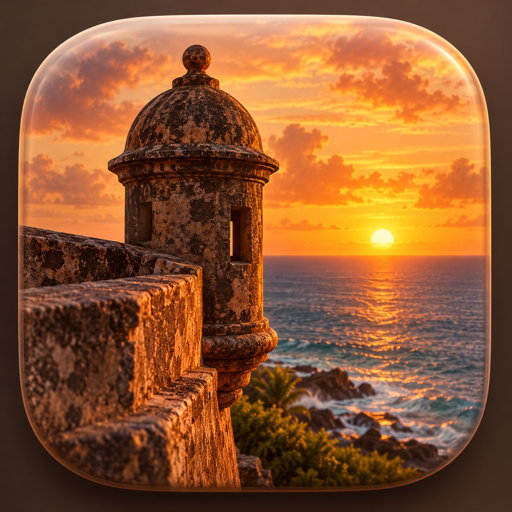
Borikén to the present, taught in 100 sourced lessons.
A degree-shaped sequence of 15-to-25-minute lessons, in the order a university teaches the subject.
The iOS speech synthesizer reads lessons aloud on the device, so no audio leaves the phone.
Hundreds of terms, each linked back to the lessons that use it and forward to the ones that build on it.
18 landmark studies, experiments or episodes reconstructed in full, each listing the record it rests on.
Terms you forget come back for review the next day, and the gaps between reviews grow as you keep recalling them.
Three Home Screen widgets show a quote, a term and a figure, each changing daily.
The first ten lessons. One purchase of $9.99 unlocks the remaining ninety and everything else, permanently. An App Store purchase also covers the people in your Family Sharing group. Google Play has no family sharing for a one-time in-app purchase, so a Play purchase unlocks the course for the account that bought it.
The course content itself works offline: every lesson, profile, glossary entry, quiz and case study is bundled in the download. On iPhone and iPad, App Store product loading, buying or restoring the one-time unlock requires a network connection. On Android, the Google Play Store app on your phone carries the purchase and the restore.
No. It is a self-study course written to the level of a university survey sequence. It carries no accreditation and grants no credit.
Every effect size, sample size and date in a lesson is stated so it can be checked. Case files list the specific record they rest on. Where a familiar textbook figure is wrong, the lesson gives the real one and explains why it moved.
Progress, bookmarks and notes are stored on-device. On iPhone and iPad, an encrypted device or iCloud backup may include them according to your Apple backup settings. On Android, each app's support page says whether Android's cloud backup and device-to-device transfer carry its data to a new phone. There is no account-based sync, so confirm that a current backup exists before moving devices. If the new phone still shows the paywall, tap Restore Purchases in the app's settings: on iPhone and iPad that asks the App Store to re-check the unlock, and on Android it asks Google Play.
Each app also has its own support page. For anything else, email OmarAppSupport@gmail.com.