
CivBites
On the App StoreOn Google PlayBite-sized U.S. civics with an adaptive quiz that finds your weak spots.
Studio Studio Apps
These apps are not part of a series. They include annotated readings of the Bible and the Islamic sources, a reef-tank logbook, a rental condition recorder, a menu allergen checker, a cycle tracker, an epilepsy journal and an arcade shooter. Each has its own codebase and its own privacy policy.
11 apps · 10 live on the App Store · 7 on Google Play · 2 coming soon to Google Play
Bite-sized U.S. civics with an adaptive quiz that finds your weak spots.
Critically annotate the Islamic sourcebase: Qur'an, hadith, sira, fiqh and tafsir.

42 propaganda techniques, a daily drill, an archive of 29 historical artifacts and a lab where you build propaganda yourself. Free and offline, no account.
All 66 books of the Protestant Bible, with plain-language critical notes.

An offline logbook for reef keepers: readings, livestock, dosing and trends.

Document your rental from move-in to move-out, then export the PDF.
Check a menu against your allergen profile before you order.

A private cycle tracker that works offline, with no account, developer sync, ads or tracking.
A private epilepsy journal, medication organizer and care-plan companion for you or someone you support, with iCloud sync across your Apple devices.
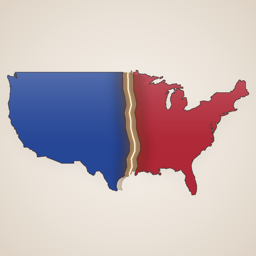
A composite index tracking U.S. civil-conflict risk, with a Home Screen widget.
Purchase models vary by app. A paid tier may be a one-time non-consumable purchase or an auto-renewable subscription. Some apps also offer repeatable consumable developer tips that unlock nothing. Every purchase screen shows the applicable localized price, billing period and renewal terms before purchase.
Open the app's settings and tap Restore Purchases while online. On iPhone and iPad that asks the App Store to re-check the purchase, and on Android it asks Google Play. If that does not unlock it, contact support with the app version, your iOS or Android version and the exact error message; never send a store account password or full payment details.
App data is stored on-device. On iPhone and iPad, an encrypted device or iCloud backup may include it according to your Apple backup settings. On Android, each app's support page says whether Android's cloud backup and device-to-device transfer carry its data to a new phone. Confirm that a current backup exists before moving devices. If a paid feature is locked on the new device, tap Restore Purchases in the app's settings: on iPhone and iPad that asks the App Store to re-check it, and on Android it asks Google Play.
The studio cannot issue a refund on either store. On iPhone and iPad, Apple handles refunds: go to reportaproblem.apple.com, sign in with your Apple Account, and choose the purchase. On Android, Google Play handles refunds: open the Google Play Store app, find the order in your order history, and ask for a refund there within 48 hours of buying it. After 48 hours, email the studio with the order number from your Google Play receipt.
Each app also has its own support page. For anything else, email OmarAppSupport@gmail.com.